

Mobile apps ·
One Flutter codebase, three countries: building Klik by Kalaam for mobile and web
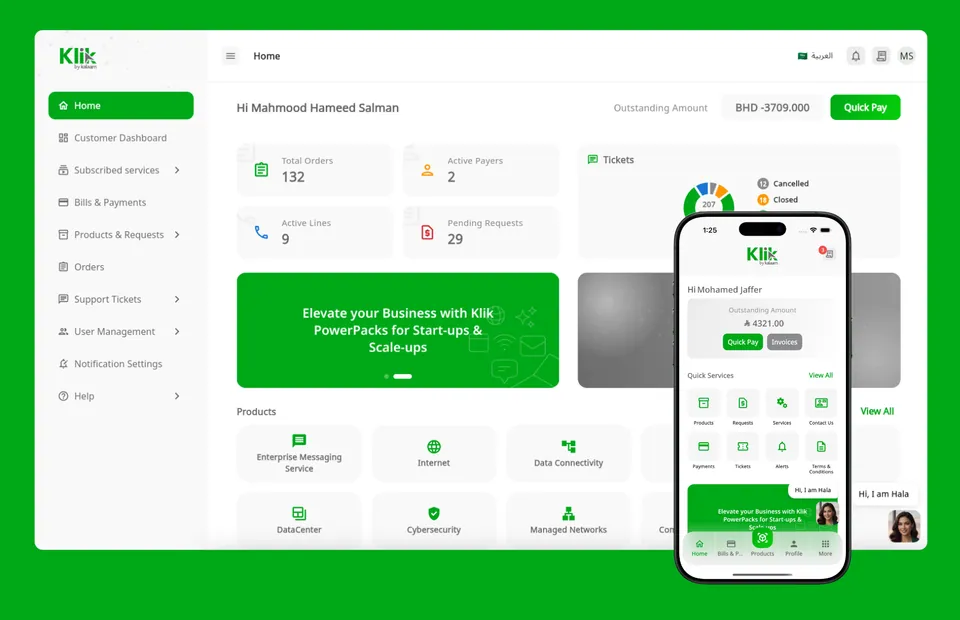
Kalaam Telecom serves business customers in Bahrain, Saudi Arabia and Kuwait. Each market had its own system, and each needed a mobile app. Instead of building and maintaining three apps, we built Klik by Kalaam: one Flutter codebase that runs as the iOS and Android apps for all three countries — and, after a round of optimisation, as the web portal too.
This post covers how we structured it and the problems we had to solve along the way, especially on the web.
What Klik does
Klik is Kalaam’s B2B self-service platform. Business customers sign in to see what they owe and pay it in one tap, browse and request products, track orders, raise support tickets, manage their team’s users and set notification preferences. Everything works in English and Arabic, with a full right-to-left layout, and an in-app assistant, Hala, is on hand to help.
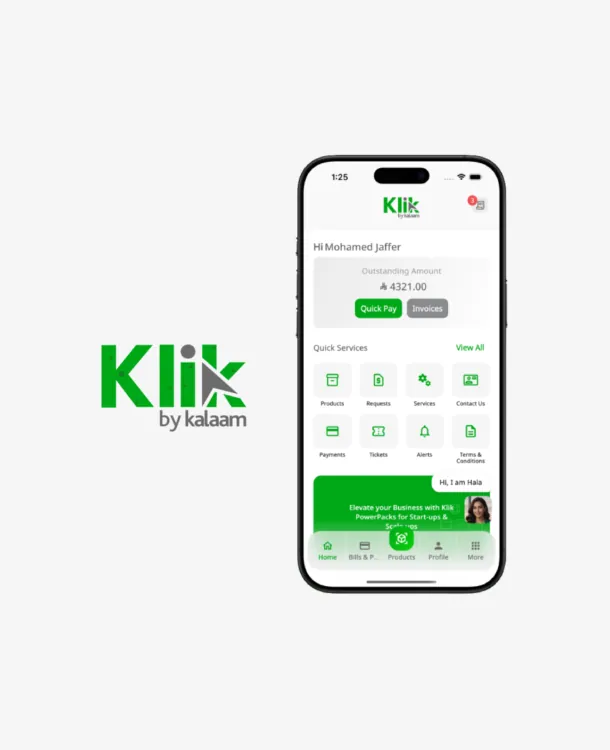
One codebase for three systems
Bahrain, KSA and Kuwait each run on their own back-end system, with their own currency, products and data. The app is the same everywhere, so we kept a single Flutter project and moved everything that differs by country into configuration:
- Country settings: which back end to call, the currency, and the products and content shown.
- Shared features: screens, business logic, the design system and translations are written once and used by every country.
- One release process: a fix or new feature ships to all three markets, on every platform, at the same time.
The result is one team, one codebase and one set of tests, instead of three apps drifting apart.
One codebase vs separate apps
The traditional route would have been a native iOS app (Swift), a native Android app (Kotlin) and a separate web portal — for each of the three countries. That is up to nine codebases. Here is how the two approaches compare.
| Separate apps per platform and country | One Flutter codebase (Klik) | |
|---|---|---|
| Cost | ||
| Codebases to build and maintain | Up to 9 (3 platforms × 3 countries) | 1 |
| Building a new feature | Built and paid for once per platform, then adapted per country | Built once, enabled per country in configuration |
| Team | iOS, Android and web specialists, often a team per platform | One Flutter team |
| Fixing a bug | Found and fixed separately in each app | Fixed once, everywhere |
| Testing | A separate test suite and QA cycle per app | One shared test suite, plus checks per platform |
| Long-term maintenance | Grows with every app: library upgrades, OS updates, security fixes × 9 | Done once for the whole platform |
| Technical | ||
| Consistency | Apps slowly drift apart in features and behaviour | Same screens, logic and behaviour in every country and on every device |
| Business logic | Re-written in each language, with a risk of different results | Written once, in Dart, and shared |
| Arabic and right-to-left | Implemented and tested in every app | Built once into the shared design system |
| Performance | Native | Close to native on mobile; heavier first load on the web |
| Native device features | Direct access | Through plugins; a web version needed for some (like payments) |
| Business | ||
| Time to market | Releases wait for the slowest platform | One release reaches all markets and platforms together |
| Adding a new country | Close to a new project | Mostly new configuration and a new back-end connection |
| Customer experience | Can differ between app and web, and between countries | The same Klik experience everywhere |
A shared codebase is not free of trade-offs. The web build is heavier than a classic website, and features that depend on native components need a separate web version — both of which we cover below. For Kalaam, those costs were small next to building, testing and maintaining the same product nine times.
Taking the app to the web
Because Flutter also compiles to the web, the same code powers the customer portal at klik-bh.com. Customers get the same dashboard, the same flows and the same look on a laptop as on their phone.
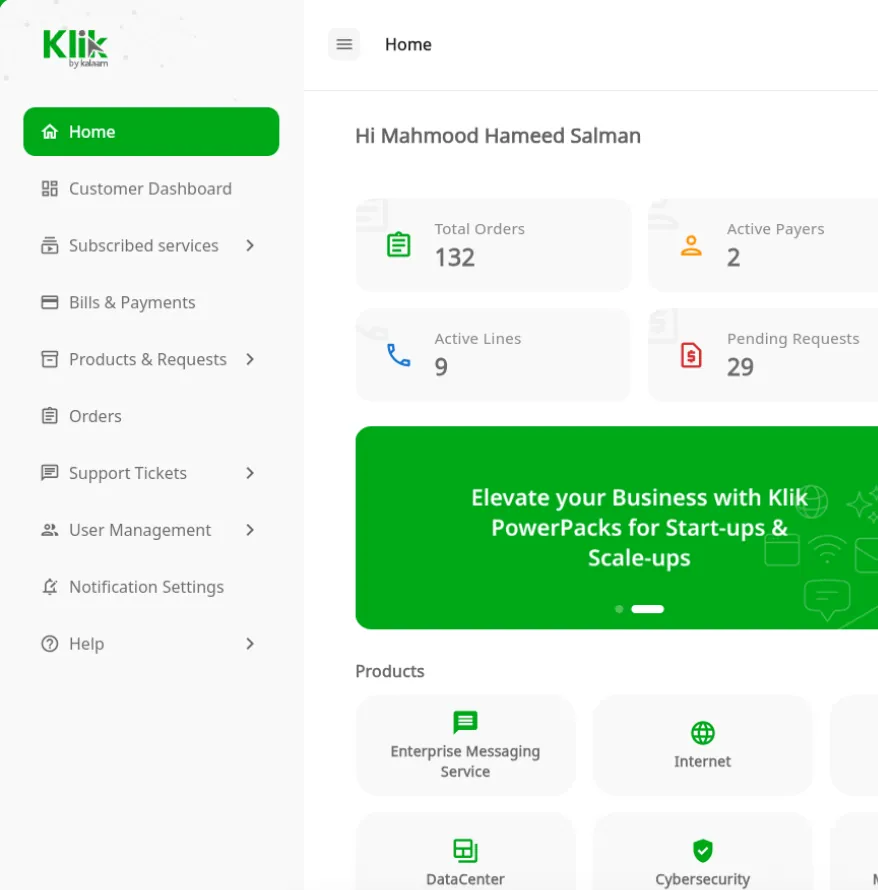
Getting there took more than just running the web build. These were the main challenges.
1. CrediMax payments stopped working in the browser
On mobile, Klik opens the CrediMax hosted payment page inside a WebView. The app watches the WebView’s navigation, so it knows the moment the customer returns from the payment page and can show the result.
On the web, Flutter has no native WebView, so the same widget becomes an iframe. That broke the payment flow in two ways:
- Payment and bank 3-D Secure pages commonly refuse to load inside an
iframefrom another site, as a protection against clickjacking. - Even when a page does load, the browser does not let our app read the address of a page from another domain inside the
iframe. The app could no longer tell when the payment had finished.
The fix was a web-specific payment flow. On the web, Klik sends the customer to the CrediMax payment page in the browser itself. When they finish, CrediMax returns them to a page on klik-bh.com, and the app confirms the payment status with the server before showing the result. The mobile apps keep the in-app WebView. Both flows share the same order and payment logic; only the part that shows the payment page differs.
2. Download size
A Flutter web app downloads its rendering engine as well as the compiled app, so the first load is much heavier than a typical website. For a portal that people use on the go, that matters. We focused on keeping the first load as light as possible:
- Building in release mode with full optimisation, so the compiler strips out unused code.
- Removing unused packages and assets, and keeping only the icons the app actually uses.
- Serving everything compressed and cached through a CDN, so returning customers load the app almost instantly.
- Showing a branded loading indicator while the app starts, so the first visit never looks like a blank page.
Today the main application file is 7.8 MB, but it travels over the network compressed to about 2.2 MB, and it is cached after the first visit.
3. Mobile-only features on the web
Some Flutter packages work only on iOS and Android. For each one — like the payment WebView above — we wrote a web version behind the same interface, so the screens that use it don’t need to know which platform they run on. We also made sure browser behaviour works as people expect, such as the back button and links that open a specific page.
What we learned
- One codebase pays off quickly. Three countries and three platforms get every improvement at once.
- Plan the web build from day one. Payments, file handling and anything that relies on a native component need a web version.
- Treat payment pages as a special case. Assume a gateway will not run in an
iframe, and always confirm payment status on the server. - Watch the download size early. It is much easier to keep a Flutter web build small than to shrink it later.
Planning a mobile app?
Script Solutions builds mobile apps and payment integrations for businesses in Bahrain and the GCC. Read more about the Kalaam Telecom project, or get in touch to talk about yours.